Local-First Architecture
Security starts with where the data lives. PrivacyBridge is architected to be "Local First."
- Local OCR: Documents are parsed using IBM Docling running on your machine.
- Local NLP: Entity detection uses optimized BERT models within the app.
- Zero-Trust: No data leaves your device until you explicitly press "Send" on the chat.

Smart Redaction & Consistency
Fix it once, updated everywhere. Our consistency engine ensures that if you mark "Project X" as sensitive, every occurrence is automatically caught.
- Interactive Review: A clear table of every detected entity.
- Consistency Propagation: Manually redact a word, and we'll find all other matches instantly.
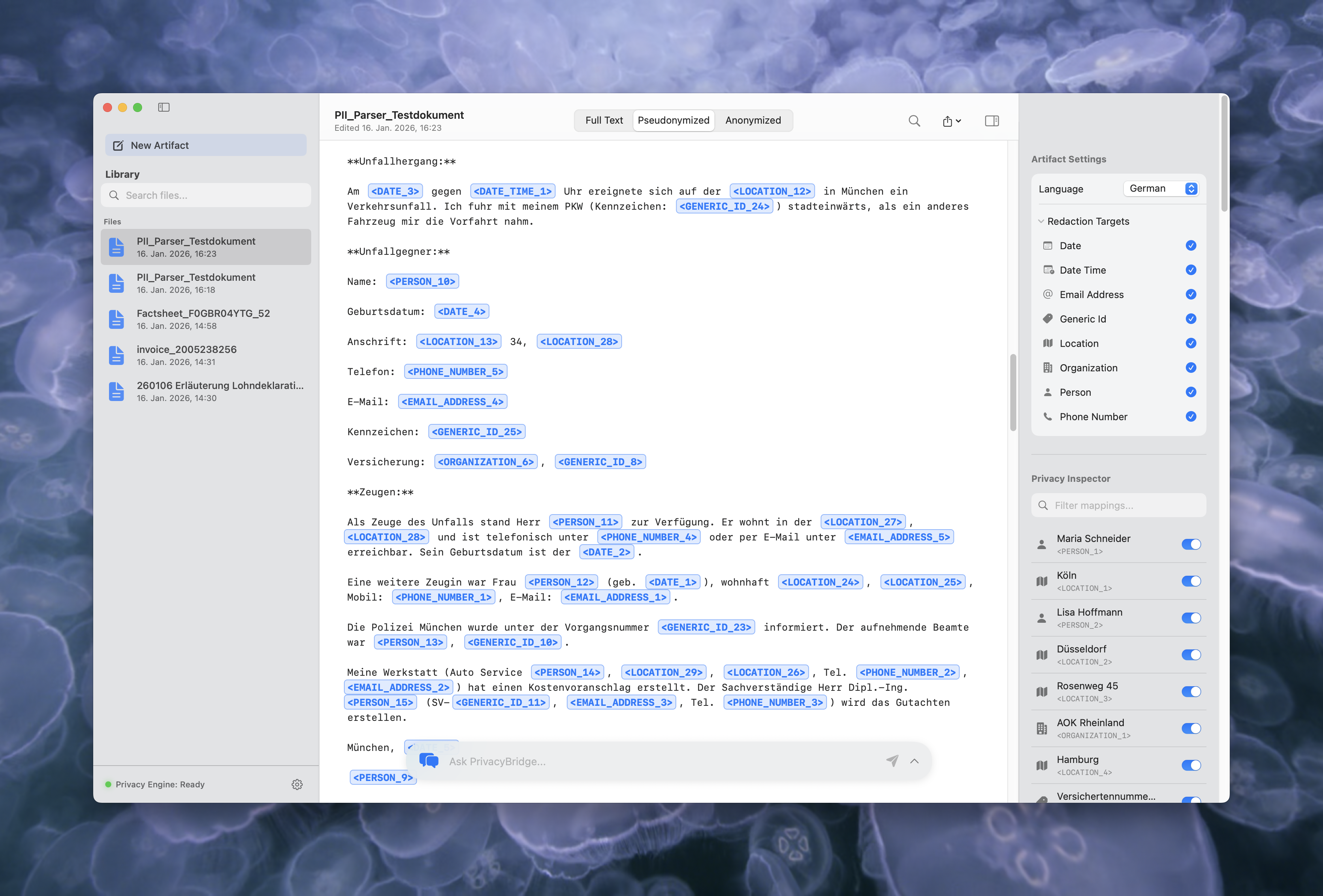
- Pseudonymization: Replace names with consistent codes like <PERSON_1> to preserve context for AI analysis.
Native Mac Experience
Built with SwiftUI and AppKit, PrivacyBridge feels instantly familiar and blazing fast.
- Performance: Handles large documents (100+ pages) with 60fps scrolling.
- Sanitized Export: Generate PDFs and Markdown that are visually identical but structurally new. We strip invisible metadata like author names, edit history, and deleted content that standard redaction tools often miss.
- Drag & Drop: Seamless integration with Finder and your workflow.

Multi-Document Efficiency
Import entire folders or multiple files at once. PrivacyBridge automatically organizes them into dossiers, allowing you to apply consistent redactions across all documents in a single click.
- Batch Processing: Handle hundreds of pages across multiple files simultaneously.
- Dossier Management: Keep related documents together and share common entities.
Three View Modes
Don't guess what the output looks like. Switch instantly between three dedicated view modes to verify redaction at every stage.
- Full Text: See the original document with highlighted entities.
- Pseudonymized: Replaces PII with codes (e.g., <LOC_1>) to maintain referential integrity.
- Anonymized: Completely blacks out sensitive information for final export.
Granular Control
Privacy isn't one-size-fits-all. Configure the detection engine to match your specific needs.
- Configurable Types: Toggle specific categories (e.g., enable "Medical Record Number" but disable "Date").
- Multilingual Support: Process documents in English, German, Spanish, French, and Italian with native-level accuracy.